

🎯 Case Study: Admin Dashboard Design for Travel Management Platform
📌 Project Overview
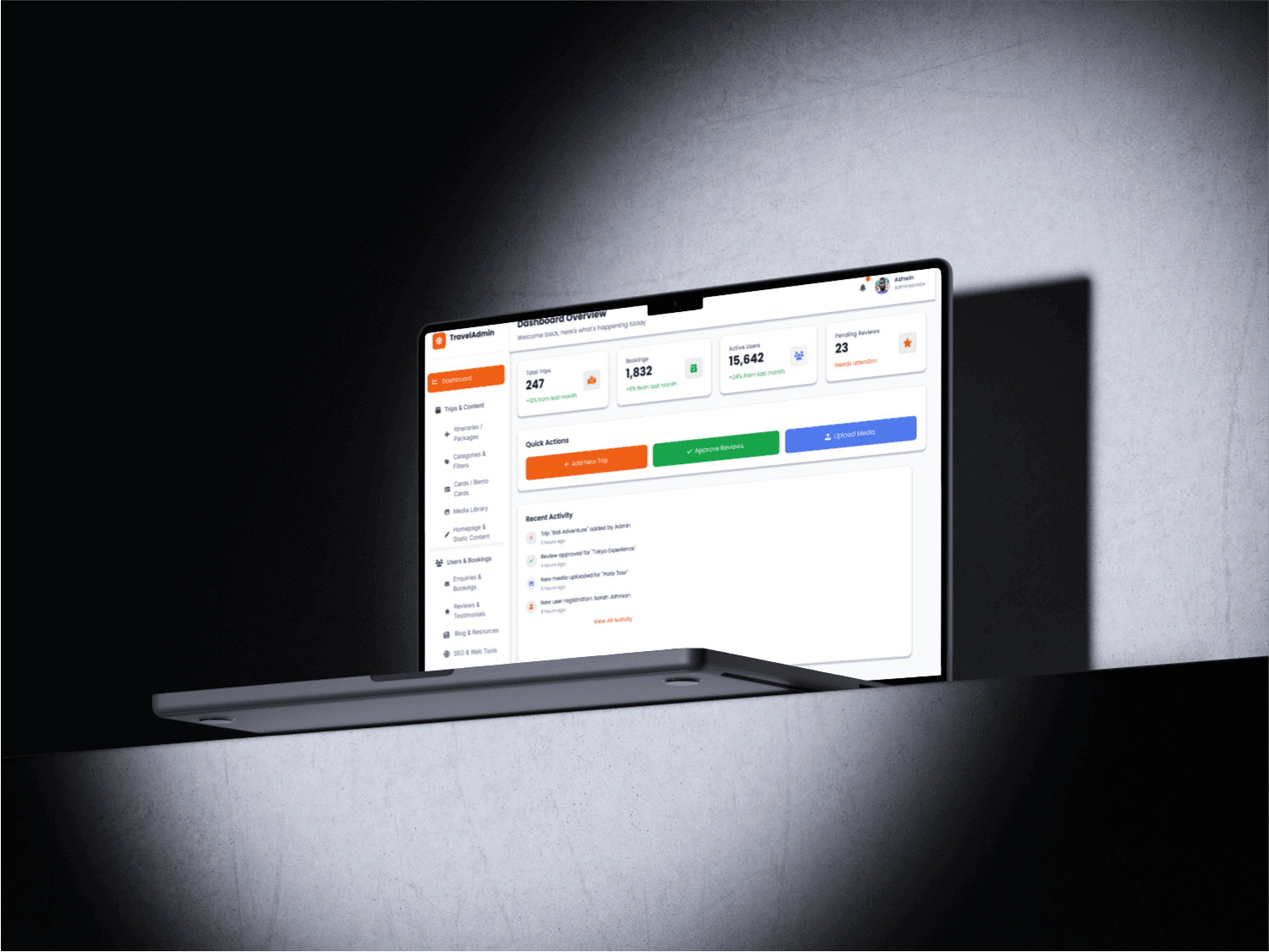
A comprehensive admin dashboard for a travel platform that manages trips, bookings, content, user engagement, and SEO. The goal was to design an intuitive, scalable system for internal teams to manage all content and operations with ease.
💡 Problem Statement
Admins struggled with outdated interfaces and fragmented tools that slowed down trip management, user communication, and content updates. There was a need for a unified, modern dashboard to centralize workflows and improve operational efficiency.
🎨 Design Goals
Centralize all content and booking management tools.
Create a modular, scalable sidebar navigation.
Enable quick actions for high-priority admin tasks.
Ensure accessibility, SEO control, and cross-device responsiveness.
🧭 Information Architecture
Sidebar Sections:
🏠 Dashboard Overview
Key stats, alerts, latest actions.📦 Trips & Content
Manage Itineraries
Categories & Filters
Bento Cards
Media Library
Homepage & Static Content
👥 User Engagement
Enquiries & Bookings
Reviews & Testimonials
📰 Blog & Resources
Blog CMS
Travel Guides & FAQs
🌐 SEO Tools
Metadata Management
URL Slugs
robots.txt & Sitemap
⚙️ Admin Settings
User Roles
Site Settings
Integrations & Backups
🚨 Alerts
🧾 Activity Log
🔧 Design Features
Quick Action Widgets on the dashboard (Add Trip, Approve Reviews)
Filterable Tables for trips, bookings, and reviews
Rich Text Editors for day-by-day itinerary planning
Bulk Uploads & Media Tagging in the media library
Integrated SEO Preview (OpenGraph, Twitter Cards)
Modular Cards System for dynamic homepage updates
🧑🎨 My Role
UI/UX Designer (sole)
Tools: Figma, Notion, Illustrator
Responsibilities:
Information architecture & wireframing
UI design & prototyping in Figma
Sidebar flowchart & navigation system
UX writing for tooltips, labels, and actions
📈 Results
40% faster trip creation time by admins (post-testing)
60% reduction in support queries about media and metadata updates
Positive feedback on improved flow and dashboard clarity from beta users